Theme Options > Customize Theme
After choosing your preset under Theme Options >> Choose Theme, you may navigate to Customize Theme and adjust the styles.
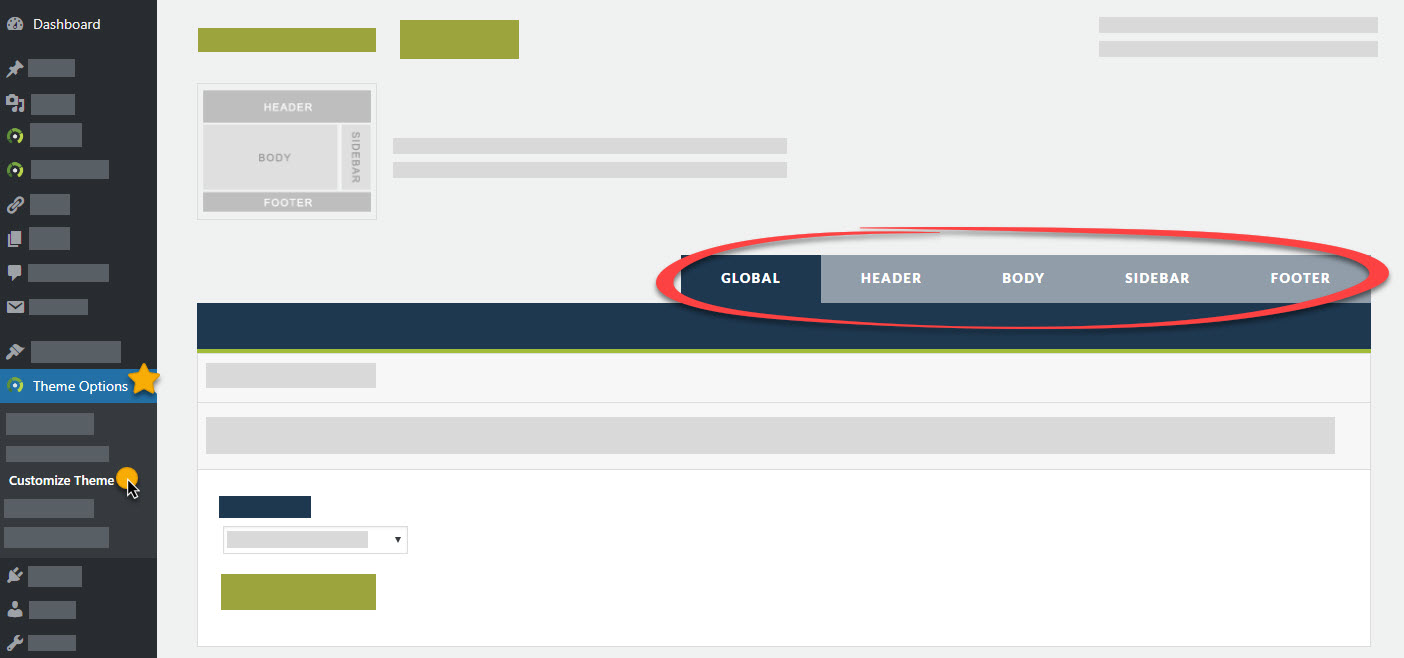
GLOBAL
Under Global you may adjust the following on your theme:
- Theme Skin: Legacy is NOT responsive. We are leaving this option for those running older versions of the Photocrati Theme. This is to be backwards compatible, but we recommend using the Modern skin (responsive) to be fully compatible with all mobile displays.
*!IMPORTANT - Caution: the Theme Skin setting has a major influence on the theme's appearance and changing it could notably affect your site design if you're running much older versions of theme (older than v4.8). Please be prepared to make adjustments. Also note that there are separate custom CSS boxes on the Other Options tab, so you'll want to copy any desired custom CSS from one area to the other and make tweaks as required. - Layout Style: Full Width, One Column Centered, and Left Side Header. Left Side Header showcases a full-screen home page slideshow.
- Background Settings: set background color, and/or upload background image.
- Home Page Background: set your home page slideshow here, or set a different background image for your Home only.
- Blog & Category Music: Do you want music to play when your blog page or category page is loading? This is where you set the music settings.
HEADER
Under Header you can set your site logo, header height, logo and menu positions, & customize menu font & color:
- Header Options & Margins: Set your header width/height, margins and logo margins. You can also set your header to be fixed (making it stick to the top of the window as you scroll down) and you can also add a drop shadow to your header here.
- Header Background: Set the header background color &/or add a background image.
- Header Logo: Set your own image logo or customize your text logo.
- Menu Container Options: Align menu left, right or centered. Set the background color or leave it transparent.
- Parent Menu Items: Set the font family, size & color for your navigation menu.
- Dropdown Menu Items: Set the font family, size & color for your dropdown menus.
BODY
Set the font-family, size and color for your content body font here, header tags (H1, H2, H3, etc) and hyperlink styles:
- Content Font/Paragraph Styles: Set the font family, size & color of your content text, set your paragraph line-height and spacing also.
- Title Styles: Set the H1 (blog post titles), H2 (blog post archive titles), and H3, H4 font family, size & colors.
- Blog Meta: Hide or show the blog meta paragraph at the bottom of the posts. Align the meta before post alignment (author, date, comments) to be left, right or centered. Align the meta after post alignment (categories, tags, etc) to be left, right or center aligned.
- Link Styles: Set the color, hover color & hover style for hyperlinks in the content body text.
SIDEBAR
Turn on/off and set the width for the sidebar on your blog, customize the font for the text body of the sidebar, header styles and link styles. You may also add social settings for the sidebar:
- Sidebar/Content Width: Turn sidebar on for your blog (YES) or turn it off for a full-width blog (NO). If on (YES) you can set the content width vs sidebar width. Set the sidebar to be on the right of blog posts or page content, or set it to be on the left. On small screens like mobile displays, select to push sidebar content above or below content.
- Background: Set the background color for the sidebar or leave it transparent.
- Font Styles: Set the body font-family, size and color for the body text of the sidebar.
- Title Styles: Set the font-family, size and color for the widget titles.
- Link Styles: Set the link color, hover color and hover style for hyperlinks in the sidebar.
- Social Media Settings: Turn On/Off social media settings. Add RSS, email link, Facebook, Twitter, Google+ & Flickr. This will appear at the top of your sidebar. *Note, if you'd like to have more social media options, there are several free plugins available under the Plugins >> Add New dashboard tab, to use in place of ours.
- Custom Sidebar Content: Turn On/Off custom sidebar. Whatever is added here will appear outside of the sidebar container, above or below.
FOOTER
You may set your footer widget area to only appear on home, only on blog, on all pages except Home or on all pages of your site or none. You may set the background color and customize font settings:
- Footer & Footer Widget Styles: Set the background color for the footer, body text font-family, size and color, link styles, and widget title font styles.
- Footer Height: Set the height for the footer area.
- Footer Widget Placement: Set where your footer will appear (Do Not Display, Only On Blog Pages, On All Pages Except Home, On All Pages Including Home, Only On Home).
- Footer Copyright / Photocrati Link: Add a custom copyright notice that will appear below your footer widget area. You may also opt out of showing our credit link 🙂 .